
Format guide
PDF to PNG vs JPG: which export should you choose?
Choose by what happens to the image next. PNG supports transparent areas and lossless image encoding. JPG offers adjustable lossy compression and always uses a white background in PDFLume.
Open PDF to PNGMatch the format to the task
There is no universal smaller format. Image content, pixel dimensions and encoding settings affect the file size. A simple diagram and a full-page photograph can behave differently. Compare your own exported files rather than relying on a promised compression percentage.
| Your task | Start with | Check before using |
|---|---|---|
| Place artwork on a colored background | PNG · Transparent | White shapes inside the PDF remain visible. |
| Share a photo-heavy page as an image | JPG · 85% balanced | Inspect text and edges; compare actual download size. |
| Keep text or diagram edges without JPEG compression | PNG | Resolution still limits detail; the output is no longer vector. |
| Keep selectable text and vector shapes | The original PDF | Neither PNG nor JPG preserves a PDF text layer. |
Compare the same page at the same resolution
Both tools offer 72, 144 and 216 DPI. Higher resolution creates more pixels; it does not restore detail missing from the PDF or a low-resolution scan. JPG quality is an encoder setting, not a measured percentage of visual fidelity.
- Open PDF to PNG and choose a PDF. Select a single page so the result downloads as an image rather than a ZIP.
- Set Resolution to 144 DPI · standard and Background to White. Convert and save the PNG.
- Open PDF to JPG with the same PDF and page. Use the same resolution and JPG quality 85% · balanced, then save the JPG.
- Compare both images at the same zoom, inspect small text and sharp edges, and check their actual file sizes. Try 65% · smaller file or 95% · high quality only if the tradeoff suits your task.
Transparency changes the decision
PNG’s Background control offers White and Transparent. Transparent preserves unpainted areas, while white rectangles and scanned paper remain content. The real PNG examples below show why a white-looking page alone does not tell you whether transparency is working.
JPG has a quality control instead of a background control. Its export uses white behind the page. For a logo that needs to sit on another color, choose PNG and check the PDF source for painted backgrounds.
Check the result and the delivery format
A single selected page downloads as PNG or JPG. Multiple selected pages download as a ZIP containing separate page images, not one stitched image. Unzip it before placing images in a slide deck or sharing them individually.
For editing words, use a text-based PDF with PDF to Markdown. For retaining the original document structure, keep the PDF. Image exports are useful visual copies, but they do not preserve selectable text, links or the vector document as editable PDF objects.
Samples and test method
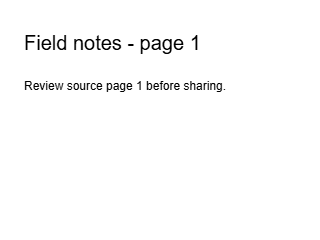
Actual page 1 export from the downloadable text-layer PDF. Inspect text edges in the original-size download.
Download result image

The same source page, resolution and white background. This synthetic text page is not a photographic compression benchmark.
Download result image
Settings checked against PDFLume SaaS 0.1.0’s browser UI and PNG/JPEG rendering path on October 8, 2026. The comparison images were generated through the actual conversion engine from page 1 at 72 DPI, white background, with JPG quality 0.85; both are 320 × 240 pixels. The evidence file records parameters and hashes. Compare at 72 DPI to reproduce these fixtures, or 144 DPI using the procedure above to evaluate your own page. This is not a claim that one format is always smaller.