
FREE ONLINE PDF TOOL
JPG to PDF Converter
Put multiple JPG or JPEG photos into one PDF. Reorder and rotate photos, select a page size and download a new copy without uploading files.
Your images. One finished PDF.
Drop images here. Files are processed on your device.
HEIC, JPG and PNG · up to 30 images · 20 MB per file · 50 MB totalHow do I convert JPG photos to PDF?
PDFLume turns JPG and JPEG images into PDF pages. Select the photos, arrange them, choose a page size and download a new PDF. The original image files are not changed.
Supported files, output and limits
| Input | JPG and JPEG photos |
|---|---|
| Output | One PDF with one photo per page |
| Page options | Letter, A4 or image size |
| Originals | Source photos stay unchanged |
Current limits: 20 MB per file, 50 MB and 30 images per batch. Files are processed on your device. Use an unlocked PDF where applicable.
Put multiple JPG photos into one PDF
Choose the images together, then arrange them in the order you want. Both JPG and JPEG extensions work, and PNG or HEIC images can be included in the same batch.
Details and limitations
For printing, choose Letter or A4 and review the margins. For differently sized photos, Match image keeps a page size based on each photo. The output contains one image per page; it does not perform OCR or increase the detail of a low-resolution photo.
A JPG image on one Letter page
The 320 × 240 JPG is decoded by the tool and placed on one Letter-sized PDF page with a 24-point margin. This synthetic text image demonstrates placement, not camera-photo quality.
JPG input
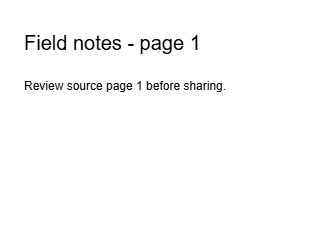
Letter-sized PDF output

Generated with PDFLume’s conversion modules and checked on October 8, 2026. Download the inputs to repeat the settings above and review the result.
How it works
01
Choose JPG or JPEG photos
Select the photos you want to include in your PDF.
02
Arrange and preview
Change the order, rotate photos and choose the page layout.
03
Save one PDF
Create a new PDF, then download it for printing or sharing.
What to check before sharing
A low-resolution photo will not gain detail by becoming a PDF. Check the preview for readability, orientation and cropping.
Questions before you start?
Are JPG and JPEG both supported?
Yes. Both file extensions are accepted by the image-to-PDF tool.
Can I put several photos into one PDF?
Yes. Select multiple photos and arrange them in the order you want.
Can I control the paper size?
Yes. Choose Letter, A4 or an image-sized page, then review margins and image fit.
Does this turn a photographed document into searchable text?
No. The photo remains an image inside the PDF. Searchable text requires OCR.
Try the workflow with a sample
Select Try sample files in the workspace above. The sample uses the same processing steps as your own files, so you can inspect the result before choosing a document.
Open JPG to PDF ConverterRelated file tasks
HEIC to PDF Converter
Turn iPhone photos into a PDF you can share, print or attach. Arrange your images and choose a page size before creating your file.
Explore the toolPNG to PDF Converter
Combine screenshots, diagrams and PNG images into a PDF. Choose the order, page size and margins before you save.
Explore the tool