
FREE ONLINE PDF TOOL
PDF to JPG Converter
Convert PDF pages to JPG locally. Select pages, resolution and JPEG quality. Download a single image or a ZIP without uploading your PDF.
PDF pages, ready to share.
Drop a PDF here. Files are processed on your device.
One unlocked PDF · up to 100 pages · 20 MB per fileHow do I convert PDF pages to JPG images?
Choose an unlocked PDF, select the pages to export, and adjust resolution and JPEG quality. Download a JPG for one page or a ZIP containing one JPG per selected page. Scanned pages work too.
Supported files, output and limits
| Input | PDF with text or scanned pages |
|---|---|
| Output | One JPG per selected page; ZIP for multiple pages |
| Options | Page range, resolution and JPEG quality |
| Transparency | JPG uses a solid background |
Current limits: 20 MB per file, 100 PDF pages. Files are processed on your device. Use an unlocked PDF where applicable.
Balance image quality and download size
Start at the default resolution and JPEG quality, then inspect small text in the downloaded image. Increase resolution for more pixels or JPEG quality to reduce compression artifacts, with larger files and more memory use.
Details and limitations
A blurry source scan will remain blurry. For line drawings and sharp text where lossless output matters more than size, compare PDF to PNG.
Export a page range for email or image uploads
Select just the pages your recipient needs instead of exporting the whole document. A single page downloads as JPG; several selected pages are packaged into a ZIP with separate images.
Details and limitations
JPG has a solid background and does not keep links, selectable text or PDF form fields. Keep the original PDF when those features matter.
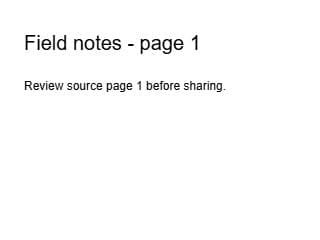
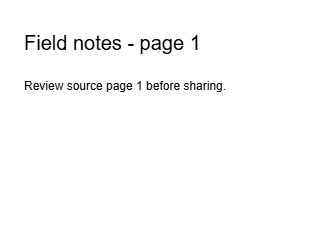
One PDF page exported as a JPG
Source page 1 was exported at 72 DPI, quality 0.85, with a white background. The result is 320 × 240 pixels. Download the PNG of the same page to compare text edges; this small synthetic sample does not predict file sizes for your documents.
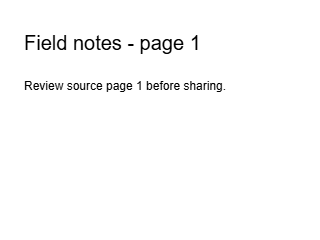
Generated with PDFLume’s conversion modules and checked on October 8, 2026. Download the inputs to repeat the settings above and review the result.
Tested guides for this task
How it works
01
Choose a PDF
Select an unlocked PDF with up to 100 pages and review its thumbnails.
02
Set pages and quality
Select a page range, resolution and JPEG quality to balance readability against file size.
03
Download JPG images
Save one JPG or a ZIP for multiple pages, then inspect small text and fine details.
What to check before sharing
JPG compression can soften small text and fine lines. Higher resolution consumes more memory; export fewer pages if a large task fails.
Questions before you start?
How is JPG different from PNG?
JPG uses lossy compression and is often suitable for photographs or smaller sharing files. PNG is lossless and supports transparency, which can suit diagrams or sharp text.
Can I convert only one PDF page?
Yes. Select a single page visually or enter its page number before converting.
Why do I receive a ZIP?
When you export multiple pages, each page becomes its own JPG. The ZIP keeps these images together for one download.
Will higher quality restore blurry scans?
No. Higher resolution and JPEG quality can reduce export loss but cannot restore detail missing in the source scan.
Can JPG keep a transparent background?
No. JPG has no transparency. Use PDF to PNG if your task requires a transparent image.

Try the workflow with a sample
Select Try sample files in the workspace above. The sample uses the same processing steps as your own files, so you can inspect the result before choosing a document.
Open PDF to JPG ConverterRelated file tasks
PDF to PNG Converter
Export a page or a whole PDF as PNG images. Choose the pages, resolution and background that fit your next step.
Explore the tool
JPG to PDF Converter
Put JPEG photos into a single PDF for printing, email or an application. Preview each page before downloading.
Explore the tool
Split PDF Online
Extract the pages you need or save selected pages as separate PDF files. Your original document stays unchanged.
Explore the tool